oh, thanks for pointing to it :-)
• 0 views
•
link
I was wondering if anyone has come across this: Is there a simple way to dynamically get the image from UCSC browser and simply embed it within my own html page? Any advice could help :)
This doesn't do exactly what you want, but it's a good start: https://bitbucket.org/dalloliogm/ucsc-fetch/overview
You could read the code to see how Giovanni gets the images.
oh, thanks for pointing to it :-)
I wrote this script that, given a list of genes and a set of tracks to show, retrieves a screeenshot for each of them:
I don't use it very often and you will have to install a few packages on your system: the rst2pdf tool and the mechanize library for python (see the README.rst). Hope that it will work well for you, or will give an idea on how to customize it.
Example output:
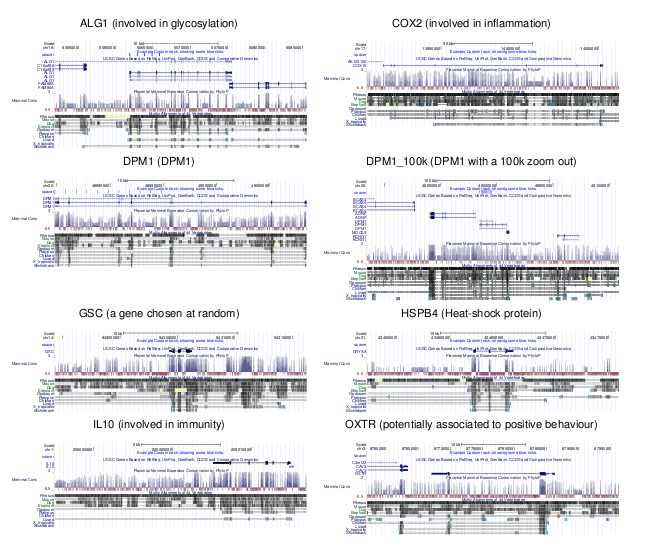
If you just want to get the structure of the transcripts, you could use the following xslt stylesheet ( https://github.com/lindenb/xslt-sandbox/blob/master/stylesheets/bio/ucsc/ucsc-sql2svg.xsl ) and the UCSC mysql server.the following command creates a SVG drawing of your gene:
mysql --user=genome --host=genome-mysql.cse.ucsc.edu -N -X -A -D hg19 -e 'select K.* from knownGene as K, kgXref as X where K.name=X.kgId and X.geneSymbol="NOTCH2"' |\
xsltproc ucsc-sql2svg.xsl - > figure.svg

You'd write a script to populate all the fields needed to build up a UCSC browser URL, and then use wget or curl with the necessary options to request the page and associated elements to a local directory. You can then grab image elements from that local store.
As an example using wget to grab an URL and associated elements no more than two levels deep:
$ wget --no-parent --recursive --page-requisites --html-extension --convert-links -E -l 2 <http://www.example.com>
The http://www.example.com URL would be replaced with the UCSC browser URL, built up with whatever options (e.g. session ID) that are needed to pull your region or regions of interest.
Log in to answer this question.
What do you mean by "the image"? Do you mean how do you embed UCSC data within your own web page on the fly? Read up on dynamic web design, Perl/CGI, Python, Ruby, any of those languages can help you do what you want to do.