This is a test version of Biostars. For the public version, visit https://www.biostars.org.
Forum: pros- and cons- : programming skills vs. GUI

I was asked to give an introductory lecture about bioinformatics in cancer research and I wanted to spend one slide or two to talk/compare the pros and cons of coding (i.e. perl, python, R, Java, UNIX...) vs. using GUI tools (i.e. galaxy, cBioportal etc..)

the reason is that most of the students are enrolled in a genetics program with little or no bfx knowledge and they are "scared" of learning how to code, learning statistics etc etc..so I wanted to explain that 1) bfx is not all coding but there are a number of analysis that also can be done without writing lines and lines of code and 2) although there is a steeper learning curve in coding, it is extremely powerful.

there are a few posts online that touch the subject but I wanted to hear what the thoughts were here and, beside the obvious reasons, what do you think should be the most important messages to be conveyed to grad students.

programming lecture

I like Istvan's analogy!

Another limitation of GUIs (I'm thinking Galaxy) is that you're stuck with the older versions of software tools that are integrated into the interface. However, there are a number of fairly routine workflows (differential gene expression, ChIP-Seq peak calling) where the limited GUI vocabulary may suffice.

The problem with routine workflows is that they can only solve "routine" problems - and it is almost impossible to tell that beforehand when is a problem of a new class or the same old.

But some problems ARE routine, and it's not impossible to anticipate the outcome. For example, if the goal is to identify a list of mouse genes whose expression levels change the most in response to drug treatment, then a Galaxy workflow of Bowtie/Tophat/Cufflinks/CuffDiff would be adequate. Sure, there are more sensitive/sophisticated/powerful/flexible tools for the job, and this pipeline is likely to miss some candidates, but that may be okay for the user.

well years ago we had the paper that proved that RPKM is inconsistent across samples see

http://blog.nextgenetics.net/?e=51

Three years later people still use RPKM because that's what Cuffdiff implements. Now obviously every routine analysis using cuffdiff will be wrong because the units themselves are badly defined. That is before considering the actual biology or the many confounding factors. The units themselves are incorrect, how absurd is that? The question is how wrong are they? It all depends on the diversity of transcripts, if there are many new transcripts the values are fatally wrong. If there are no new transcripts RPKM will work. So now the validity of the routine analysis depends solely on the number of transcripts that express only in one condition.

Istvan, I'm aware of the limitations of RPKM (which is one of the reasons I don't use the Tuxedo package). I also agree wholeheartedly that CLI is preferable to GUIs for the many reasons cited. But the example I gave still holds. The mouse transcriptome is well-studied, so it's highly unlikely that drug treatment will produce a host of novel transcripts. Despite its flaws, RPKM would identify some subset of the most differentially expressed genes. If that's the user's only objective, I don't see the problem.

Just to clarify - it is not about novel transcripts - the problems arise when there are transcripts or isoforms that can be found in one sample but not the other.

I don't disagree that pipelines "work" - it just never clear how well they do and when they cross from "kind of right" to "no that's obviously not right". The more automated and "routine" a process the less likely one investigates it (but this true regardless of the approach command line or GUI).

I meant 'novel' in the sense of 'unique to one sample', which is the condition that you describe.

And I strongly agree that the user needs to understand the tool, be it CLI or GUI. Caveat emptor.

You are never stuck in Galaxy. It's OpenSource and it's pretty easy to update tools or point the big community to update tools. Actually, for a few tools we have wrappers before the paper comes out, because more and more people talking to the Galaxy community and contributing to it during the publishing process.

I guess this is just a matter of time and priorities. If someone spends the time in compiling a new version of tool X and integrating it in their own make file rather than integrating it in Galaxy it will take longer for all of us :)

Sorry, I should have specified the public Galaxy site at PSU. Given that the OP was addressing a class with little/no CLI expertise, I assumed that updating the tools would be beyond their skill level. Plus, I'm fairly certain that you can't update Galaxy using only the GUI...

Note that this post is in no way a criticism of Galaxy. I think it's a very useful suite of tools, it lowers the activation barrier for learning bioinformatics, and the automatic tracking of workflows is a strong selling point.

You can update Galaxy tool versions using only the GUI (and Björn provides a Docker container with Galaxy that makes the set up vastly simpler) :) Granted, you only get what's in the toolshed, but that's sufficient 99% of the time.

Thanks for the clarification, Devon. I should have been more precise. By updating, I was referring to Björn's comment about writing wrappers for the latest versions of tools. I consider the Tool Shed part of Galaxy proper, so of course it's possible to use the GUI to access versions contained there.

Just to note that some applications do need GUI, such as phylogenetic tree viewing/editing, alignment viewer (IGV), genome browser, assembly viewer (consed and Bandage), network visualization, etc. For these, a well-thought and well-implemented GUI is essential.

yes, here GUI is essential, however, these tools still require upstream work that could suffer because of the limitations in other GUI/pre-canned analysis tools

Well, CLI is essential, however, CLI tools still require upstream wetlab work to generate data. It is not necessary for everyone to know everything. Occasionally, when you work on specific areas, even GUI alone can be ok. That is how CLC etc have survived for years.

8 answers

The important thing here is to allow people to recognize that each is a spectrum: chaining command line tools together is far easier than writing a program in a programming language. At the same time a GUI based program may require the user to make use of programming concept. For example entering formulas into an Excel worksheet - that is programming. So the divide is far less sharp than many might think.

My 2 cents to the matter is that graphical user interfaces are akin to speaking by using only a limited number predetermined sentences. You are given a limited amount of choices and and as long as what you want to say can be expressed with them it "seems" easier. But soon one runs into not being able to express what they really wanted to say.

Command line programming is like free speech, you can express far more detailed thoughts but at the same time you can say complete nonsense with ease.

For our teaching courses, and from your question I think we are targeting the same audience, we try to take the fear from our students. For this we train them in Galaxy and demonstrate how easy reproducible science and HPC computing can be. If you can make the point that everyone can reproduce (or not ;)) a Nature/Cell paper with Galaxy, you can motivate your students a lot without scaring them away with complicated installations and command line hacking.

Galaxy is very much like a shell pipe and to understand the concept of chaining together simple, already existing commands to complex workflows is a key message I guess.

If you are afraid of restricting your users and taking away freedom, don't worry any more. We have integrated IPython and RStudio in Galaxy.

So you now can combine both worlds. Shiny workflows and free speech. Isn't this what we are aiming for? Enable every researcher the take advantage of his/her skills without restricting them?

P.S. We using Galaxy/IPython to train programming lessons with real life-science data. If you are interested in teaching material let me know or have a look at: https://github.com/bgruening/

yes, the overall goal is not to scare them away but show them that, if interested, they can learn and start by utilizing online tools to get their feet wet. part of the lecture is indeed dedicated to a relatively quick/simple analysis in Galaxy, so that students can see what's doable. unluckily there is no computer availability for all of them so gotta make sure I keep it interesting :).

to be honest I never used IPython/RStudio in Galaxy, that's definitely something I'm gonna look into, thanks for the link/suggestion!

Coding gives you flexibility. With GUIs you're limited to the options offered. When GUIs become very flexible then they can reach a level of complexity close to that of programming, with an equally steep learning curve. In the end, even for using GUI tools, one ends up coding if only just to assemble data or convert data to a format acceptable by the GUI tool. Also, GUIs take time to develop so they are only available for established and/or well-funded tools. When you're in a lab exploring new avenues, you often need to develop your own tools (or adapt existing ones). If you can't code, then you're limiting your options. Given the importance of computational and statistical tools in modern biology or science in general, I don't see how one could be a scientist (or at least have a lasting career in science) and not have some basic skill/understanding in these areas. In my view if someone is not willing to learn the tools of the trade, then they should reconsider their career choices.

I often try in some intro courses to stress the importance of learning a little bit of UNIX/Linux and the command-line, or push all wet-lab people towards OS X and learning a little command-line so they can have the bets of both worlds. Because really, if you are scripting or programming with a fairly standard language (Python, Perl, C, C++, Java) you won't really be able to much that is terribly effective in Windows and even there they would need to learn the Windows command-line to do anything remotely interesting. And Windows is terrible for bioinformatics analyses in general.

Learning just a little bit of the command-line opens up all of the command-line tools that exist. Even if they are running their workflow manually they are one step ahead. I think it is a shorter jump from there to programming (at least light scripting).

IMO the most important message is that putting a few months into learning the command-line will enable them to do stuff that would be simply impossible to achieve through a GUI during a human lifespan. A simple example would be blasting 1 million protein sequences against nr. Imagine how long it would take if you did it one by one through the NCBI web service GUI (OK, maybe they allow more than one sequence, but certainly not 1 million).

Remember that the OP is giving an introductory lecture to a group of geneticists, most of whom have zero command-line expertise. If, on the basis of one lecture, s/he can convince even a single student to embrace the power of CLI, it would be nothing short of miraculous!

The issue is that for all intents and purposes, getting more wet-lab folks to learn a little bit of command-line would be far more useful in the long run than programming. I'll expand on this in my own answer as it is a bit long for a comment :)

I think for as far as this lecture goes I won't have neither time nor space to teach them any command line/programming but I can def try the "miraculous task" of convincing them to learn some programming language/stats on the side.

but I still do agree that if they spent some time learning, they would at least have a better understanding on how analyses work and how to replicate/apply/explore new analytical avenues for their own research.

A strong point in favour of scripting is that a job accomplished with a script is reproducible and self-documented (it's called script for a reason...!). This makes it easier in the future to understand what you have done. Sure you can write very obfuscated code, but still better then GUIs where you have no track left*. In this perspective, the task at hand doesn't have to be very sophisticated or "high throughput" to justify scripting over GUI, it can be as simple as renaming a column in a data file.

On the other hand, as pointing out before, GUIs are great for data exploration and to generate hypothesis. Think IGV, but also a quick look at a table in Excel can tell something interesting for further analyses. So there shouldn't be a competition between the two, really.

My 2p...

* As far as I know Galaxy is pretty good in recording the executed commands, so it's a notable exception.

CLI and GUI are redundant terms.

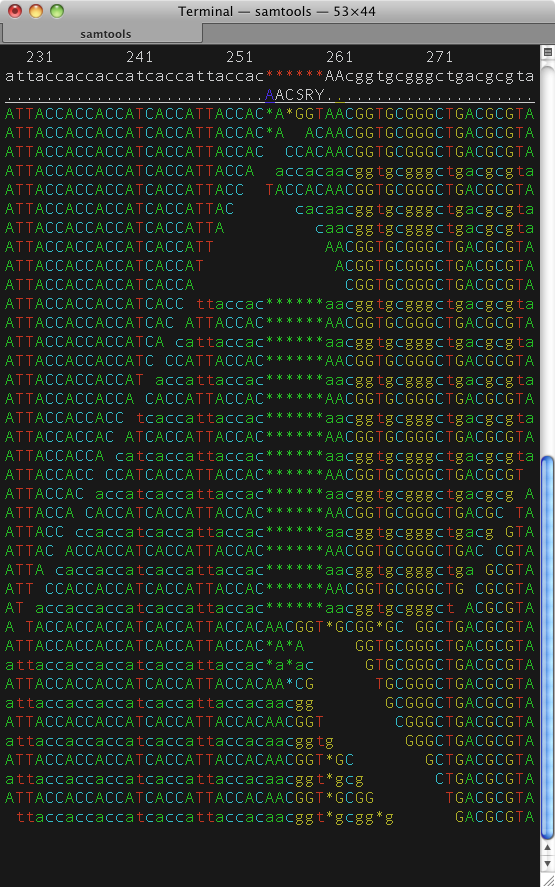
Is samtools CLI or GUI?

I guess you can execute it with parameters. What about htop which is rarely run with parameters and almost configured in the "GUCLI"?

What about this garbage RESTful interface which drove me to learn how to program 10 years ago:

There is good algorithm design, and there is good user interface design (or UX), and the two are totally separate things.

If the question is "why learn to program?" or "why learn linux/shell tools", I think that's a very different question and the interface differences are only going to confuse the situation.

John,

Out of curiosity, what exactly is the problem with the last example you showed?

It is just terrible user interface design. Many years ago i found myself using it a lot because i was designing hundreds and hundreds of primers all day long, and spent most of my life looking at this page...

It's actually been updated recently. They used to use PHP to do the reverse complimenting, meaning there was a trip to the server and back again to reverse compliment anything. So if you lost internet or you didn't fancy waiting 10 seconds unnecessarily, it became a real pain. Now it seems it's all done locally in JS, however it still for whatever reason opens up a new tab for the result. So you have to click in the box, select/delete everything, paste in your DNA, click submit or tab-enter, click into the new box in the new tab, Ctrl-A, Ctrl-C, click to close the tab, paste your DNA wherever you needed to, repeat. All of this could just be replaced with "Ctrl-V,Ctrl-C"

But I didn't use it as an example of bad UI. It's an example of a GUI mimicking a CLI in that input and result are separated. My point is that the distinction of what is CLI and what is GUI is not really that clear. I could have chosen a better example perhaps..

Dear John,

I did not make or design that example however I think it is not intended to design hundreds of primers a day. Sometimes core biologists that do have to work 10 hours a day with lengthy experiments need a quick program with "ANY" design that just gets 1 job done. It's faster than writing a script with reverse complement hash and calling foreach loop. In your case of course it becomes an inefficient tool. But in general existence of "bad" GUI/design is not that all "BAD". It's like saying nail cutters are not good because you can't cut down a tree with it

Eh... nah I think it's just bad UI design.

To stick with your nail cutting analogy, it's the equivalent of saying these nail cutters are bad because they can only be operated with your elbows. If they cut nails, they are still nail cutters. You might even be able to cut trees with them. But if you have to use your elbows, the interface is bad and it's OK to make fun of it. Thats how we improve :)

Dear John,

The page you took the screen shot is quite clear: paste 1 sequence --- get the reverse complement below the box. Now let's assume 95 percent of the users of this page have 2 sequences. So they get the result in a new window because of "BAD" design and they lost about 5 secs to return back to paste the second sequence. Here is my question to you. How does loosing 5 extra secs because of bad design compare to cutting nails with a bad nail cutter that can be operated with "elbows" which would take an order of magnitude longer? Please do not exaggerate differences to justify one argument.

As I said of course in your case the tool is inefficient simply because those "5 secs" add up. But then here is my second question: Obviously 10 years ago, even you, an exceptional user of the page who had to paste in thousands of sequences for which the page was not designed for, were stuck with it UNTIL you hated it and decided to go for programming; then would it be better if it didn't exist at all? If there is one situation to make fun of then why don't you make fun of this in the first place instead of the people who at least tried to come up with something?

GUI is not all that evil. GUI is like the eval() function, it gets as evil as you make it. There are places where it is perfectly to use a program with GUI rather than command line tools. I am neither a command line zealot nor a GUI zealot. But I really do not think using adjectives to define someone else's work as bad is proper. And I do not agree that we improve by just doing that. I think we improve by introducing VARIETY. You don't like that GUI? Well, make a better one from your perspective and leave it to people who might find it useful.

There's a lot of ideas raised in your comment Ibrahim, and while we could go through all the points, none of it really relates to issue I wanted to raise, that focusing on classifications such as GUI/CLI is a waste of time, when user experience is a more relevant concern.

But I will go on record as to say people call my work bad all the time and they are always right. If I can't foresee a use-case of my tool, I have failed my users. If my users then say that my UI is bad, it is. I don't get a say. I think it's perfectly possible to respect one another whilst being critical of the code. Everyone's code is bad until it isn't.

Dear John,

I will start from the GUI/command line interface subject. I think we both agree on that. Discussing which one has the upper hand is not useful and informative.

I must say I am bit surprised by your perspective: "people call my work bad all the time and they are always right". As far as I know the only sector where the customer is always right is the service sector. I also do wonder whether if you ask your users "what exactly is bad?" when they just comment "bad". Because bad is an adjective and adjectives are not informative. If they were to explain the technical shortcomings then there would be no need to use those adjectives in the first place.

I think software for scientific purposes diverge from common software in the sense that they are within the framework of science/research. By definition, as a researcher you only have an idea (hypothesis) of what you are searching for but you don't yet grasp/understand it. This leads to an interesting situation: sometimes you come up with the problem (need) before the solution (tool) and thus the user-experience/foreseeable-cases etc. Then, if you think it might help others, you release it. This is the case for many scientific software. Therefore, it is not clear to me whether or not to prioritize "user experience" and "possible use-cases" to the extent that they are everything that matters.

Lastly, I also do think that it is perfectly possible to respect one another whilst being critical to code. However it is not clear to me what part of being critical to code using adjectives like garbage or bad is. What I understand from criticizing code is explaining technical shortcomings and what could have been done instead. From your example, you mentioned the RESTful api where things actually could have been done client side. This statement alone is sufficient enough, the adjective garbage there is unnecessary. I think criticism is helpful as long as there is simplicity (like in mathematical simplicity). Addition of unnecessary and uninformative adjectives make it complex and drives criticism towards being toxic which already has inherent tendency.

That being said, it was very nice to see the story from your side. Thank you for the conversation and your patience.

For an audience of non-experts, absolutely focus on basic concepts and the GUI. I come from a different background (protein crystallography) but I spent several years going to workshops and training scientists in the use of the software I helped develop. At the beginning we just taught command-line tools and it was torture - at least half of any given audience had almost no command-line experience and we would waste time going over the basics. And we weren't even trying to teach them programming, just basic use of Unix commands. Once we had a GUI available, the difference in what material we could cover and what the students could absorb in the relatively short time allotted was enormous.

Of course this depends on the availability of a decent GUI; I have no experience with Galaxy so I can't comment on that. But I do not think that the average biologist will become a better scientist by learning Linux command-line use; they would be far better off learning math and statistics instead.

But I do not think that the average biologist will become a better scientist by learning Linux command-line use; they would be far better off learning math and statistics instead

I agree with the part of the statement where you say that users/students/scientists should learn math and statistics...however, I don't think I ever met a statistician or a mathematicians who does not have programming experience. I think that if you start off with math and stats, programming comes with the territory. if instead you start from the other side (biology) then programming becomes an add-on that you can learn while improving your math and stats skills...but I do see those two as being intertwined at least as far as R/Mathlab/Mathematica programming goes.

regarding Linux/UNIX I do believe that it is still connected. i.e. when I analyze data I often use our UNIX servers since I can't really mange big fastq files on my PC/Mac, and if I didn't know some UNIX command line/programming then I wouldn't be able to run my analyses.

Log in to answer this question.